How to Access Google Ads Keyword Planner (Without Running Ads)

Google Ads Keyword Planner is a free planning tool that gives you a surprising amount of detail. It’s simple to use, and you can plan the ad campaigns you’ll run on Google with it. Because it plugs straight into everything else in Google Ads, it makes the whole process a lot easier.
On top of that, Google shares its own data directly, so the numbers are far more accurate than most third-party tools.
You can use Keyword Planner without running ads, and it costs nothing. But Google designed the interface in a way that makes it look like you have to advertise first, so a lot of people miss it. In this post I’ll show you, with screenshots, how to open Keyword Planner without running ads.
So how do you get into Google Keyword Planner without advertising?
To create a Google Ads account, you first sign in with Google. Google will ask you to create an ad campaign, but you don’t actually need one to reach the Keyword Planner.
Go to Google Ads Keyword Planner and click “Go to Keyword Planner”. After you sign in, do the following:
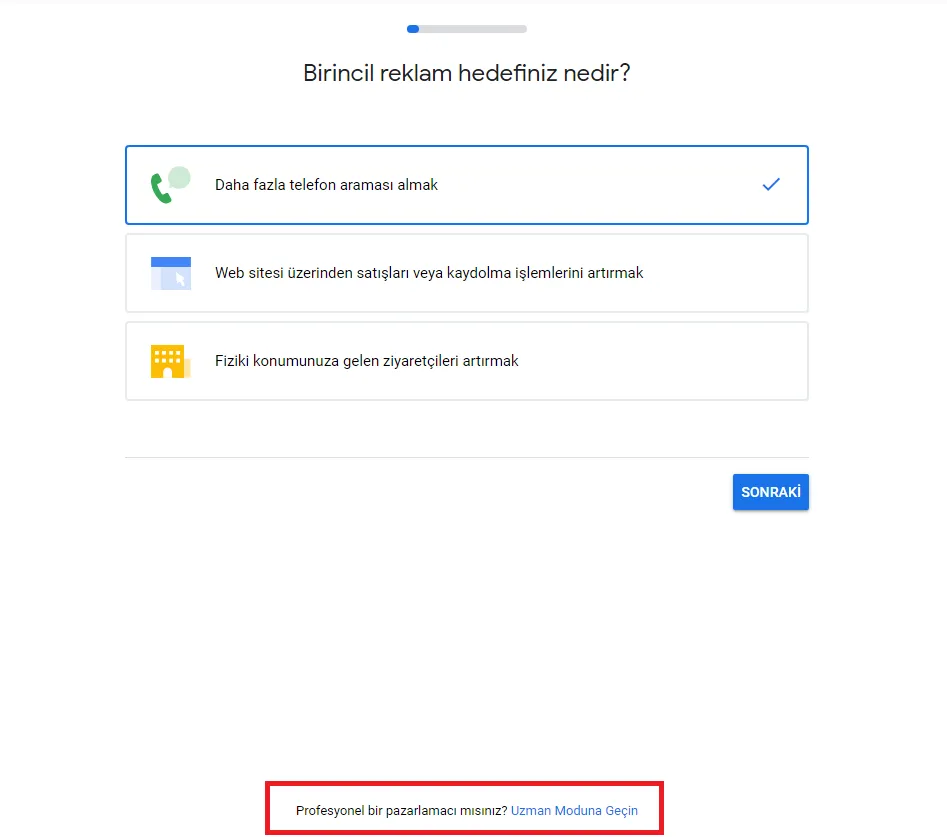
- Scroll to the bottom of the page and click “Switch to Expert Mode”.
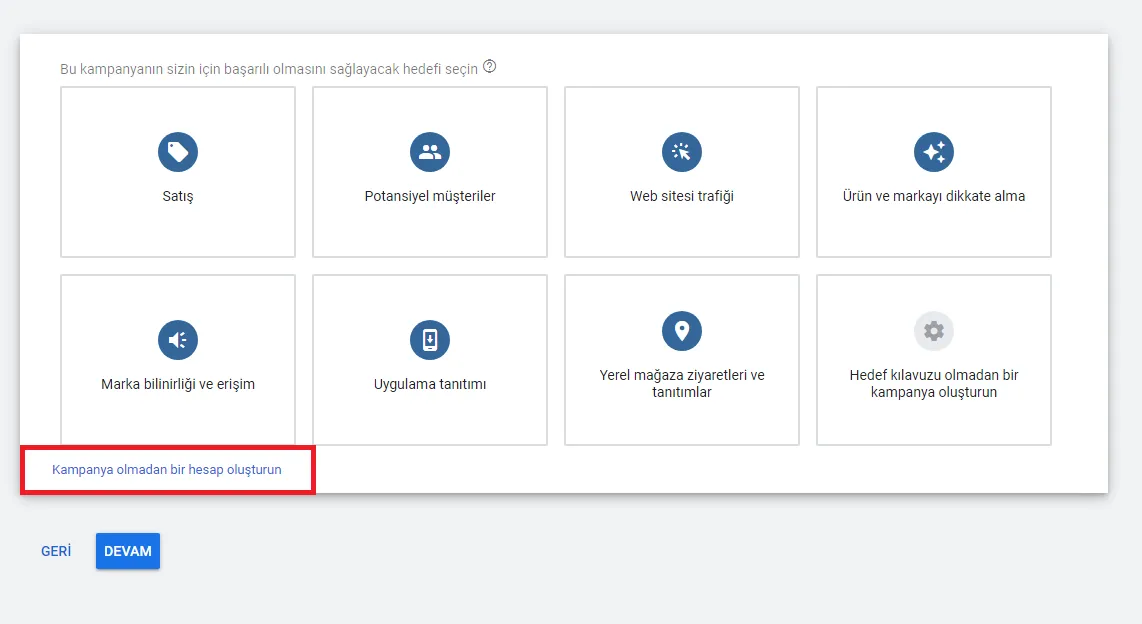
- Then choose “Create an account without a campaign”.
- Fill in the required details and submit. You now have access to Keyword Planner. Open the “Tools and Settings” menu at the top right of the page.
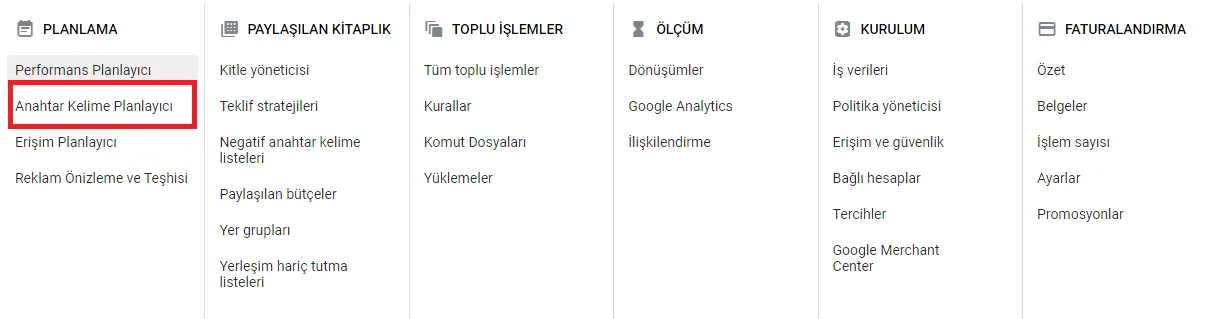
Select “Keyword Planner” and start generating ideas right away.
Keywords are critical to your content strategy. If you want to earn revenue from your website or grow sales by strengthening your SEO, it really pays to understand how they work.
For a deeper dive into keywords, read The Keyword Planning Process and Free Keyword Planners.